 Dossio
Your paperwork, on your device only.
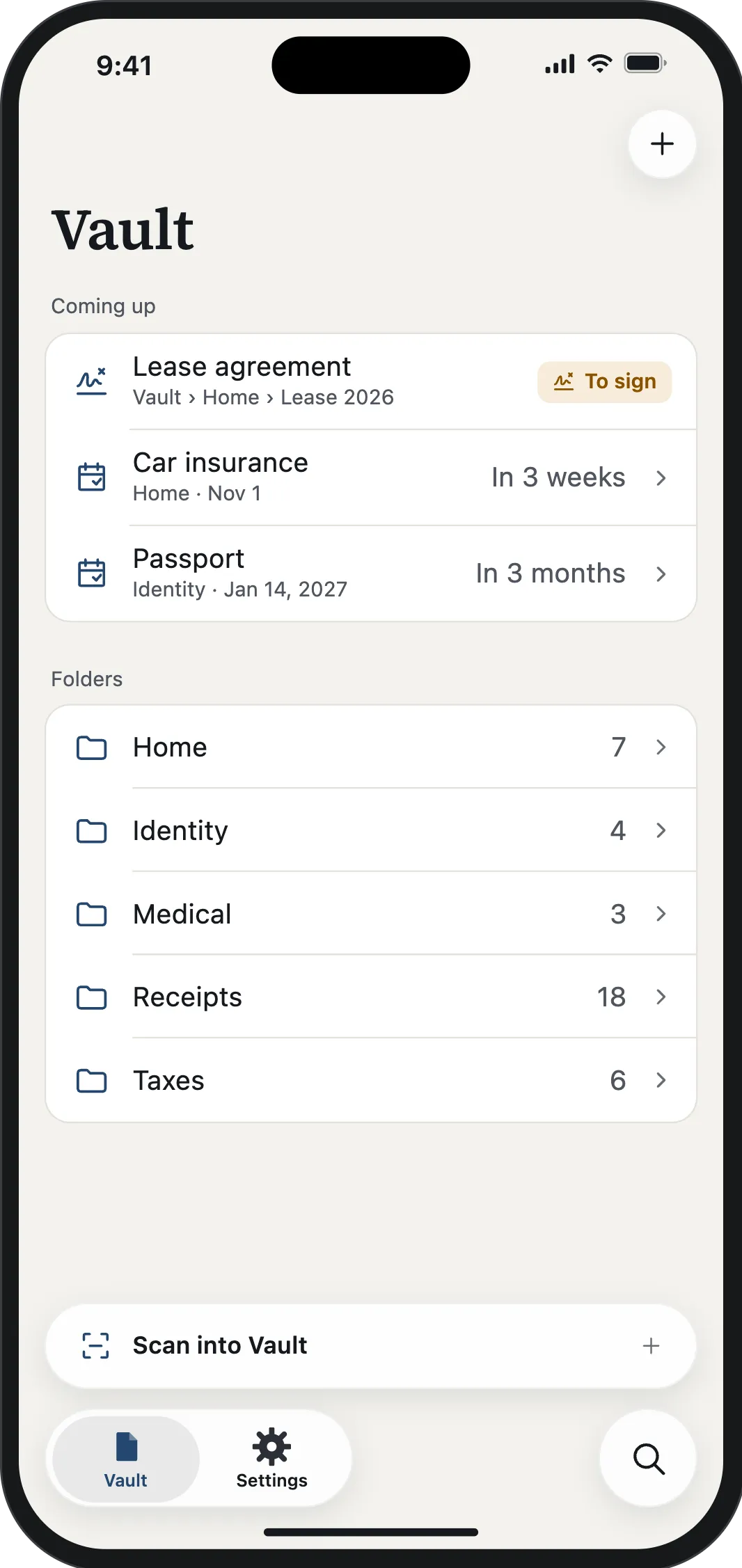
Dossio is an encrypted place for the leases, passports, tax forms and receipts in your life. Scan paper into searchable PDFs, sign on the page, and black out private details before you share. Your documents are never sent to a server.
Three jobs paperwork needs
Scan it, sign it, black it out. Without printing anything.
The things you would otherwise do with a printer, a pen and a marker, done on the page, on your device.
Scan
Paper becomes a searchable PDF, filed straight into the folder you choose.
Sign
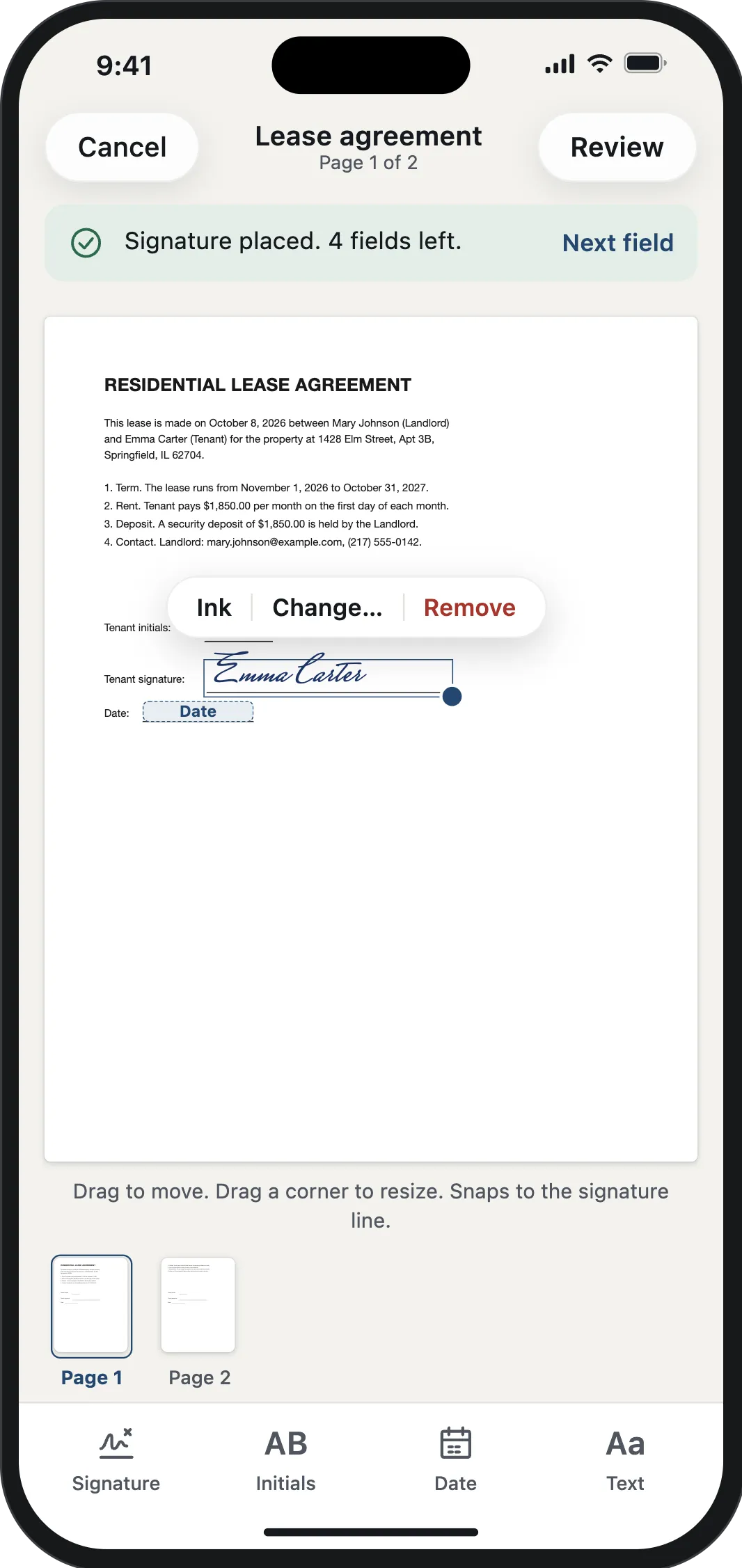
Dossio finds the signature, initials and date fields, so you sign in the right spot.
Black out
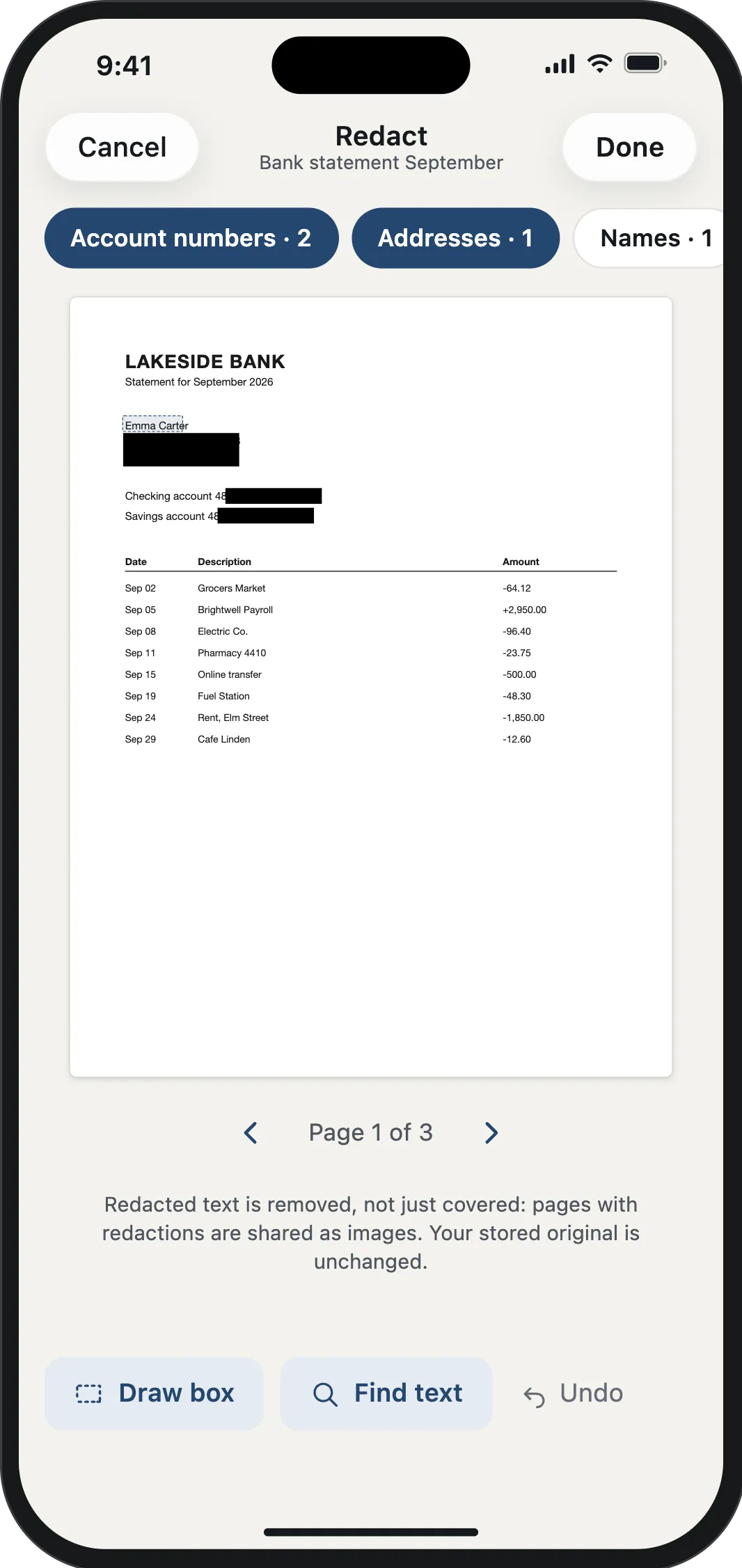
Account and ID numbers are found for you, and removed from the copy you share.
Before you share
Blacked out means gone, not covered.
A black box drawn over a PDF can often be lifted off again. In Dossio, pages with redactions are shared as images with the boxes burned in, so the text underneath is not in the copy you send. Your stored original never changes.
- Account and ID numbers are found for you, checked against their own check digits.
- Email addresses, phone numbers, addresses, dates of birth and names are suggested.
- Remove hidden details strips the author, earlier revisions and photo location.
Where everything lives
Encrypted and stored only on this device.
Your documents never leave the device. Dossio sends only anonymous usage statistics. Your documents, folder names and signatures are encrypted before they are written to storage, and they stay out of iCloud and computer backups.
Privacy and encryption
- Where your documents are
- On this device
- Encryption
- AES-256-GCM
- Key protected by
- Secure Enclave
- iCloud and computer backups
- Not included
- Spotlight and Siri
- Not indexed
- Copied text
- This device, 2 min
Nothing to sign in to
- Account
- None
- Where your documents go
- Nowhere, they stay on your device
- Ads and tracking
- None
- Usage data
- Anonymous statistics only
- Subscription or in-app purchase
- None
And the rest of the paperwork
The jobs that come after the paper arrives.
Keep it all in one place
Folders for the house, the car, the tax year or the kids, with every page encrypted on your device.
Reminders before things expire
Give a passport, a lease or an insurance policy an expiry date and Dossio reminds you in advance.
Receipts for your accountant
Pick a period and Dossio gathers the receipts in it into a CSV file you can open in any spreadsheet app.
Backups you choose
Your vault stays out of iCloud and computer backups. When you want a copy, Dossio writes an encrypted backup file and you choose where it goes.
From the blog
Practical answers about paperwork.
How to black out part of a PDF on iPhone so the text is really gone
On iPhone, drawing a black box over text in a PDF often leaves the text underneath. Here is how to tell whether it worked, and how to hide details so they cannot be copied out of the file you share.
Should you give a landlord your Social Security number?
Sometimes a landlord has a real reason to ask for your Social Security number, and often they do not need it. What to ask first, and how to share the rest of your documents with less exposure.
What your family needs to find if something happens to you
A plain list of what to gather for the people who would have to manage your paperwork, and the part that is easy to forget: how they get to it.