 Dossio
Features
Everything paperwork needs, in one locked place.
Dossio keeps your documents and does the jobs they come with: scanning, signing, blacking out, remembering the dates. All of it on your device.
Keep it all in one place
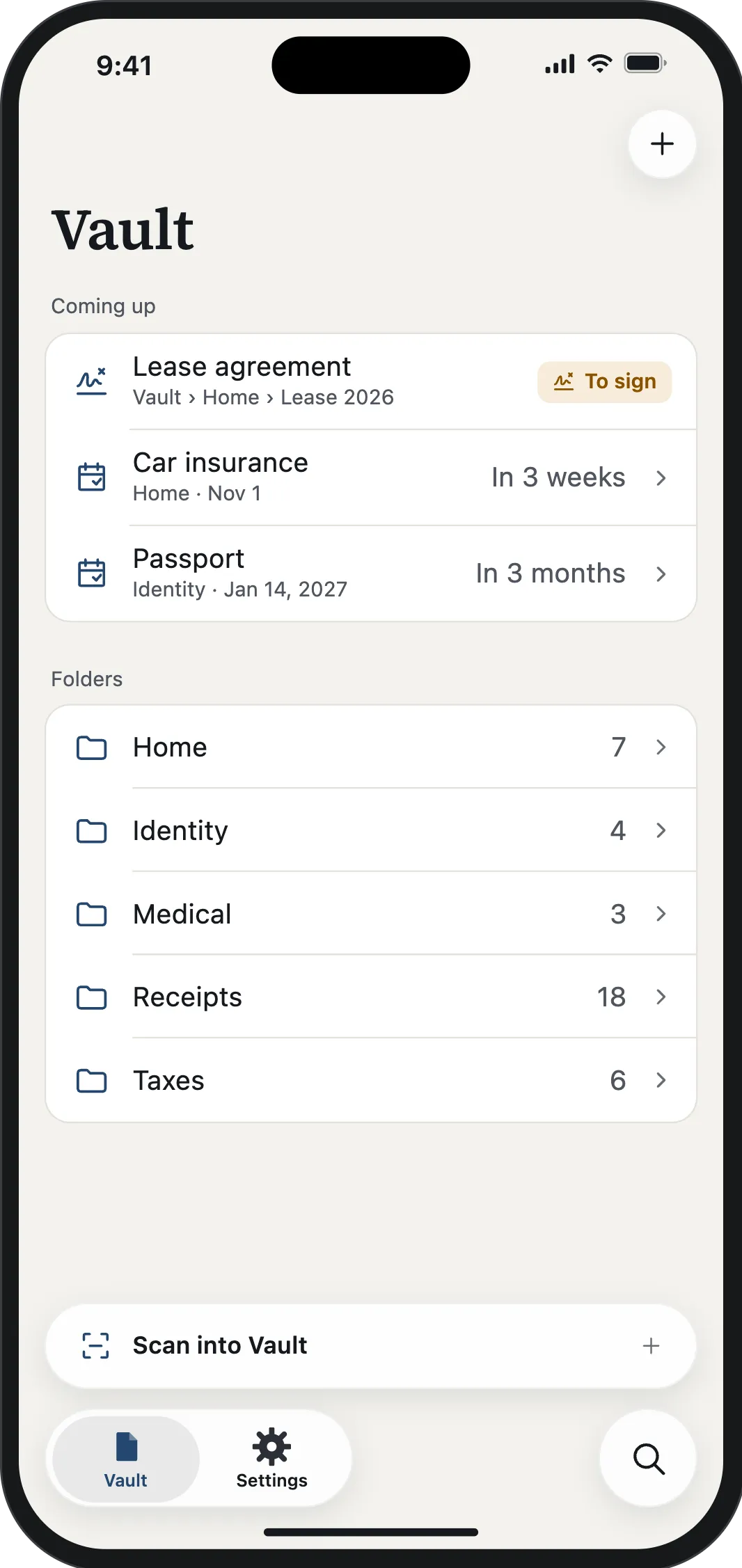
Folders for the house, the car, the tax year or the kids, with every page encrypted on your device.
- Scan a page straight into a folder, or import PDFs and photos from Files.
- Send PDFs and photos in from any app with the share sheet, without unlocking first.
- On iPad, drag PDFs and photos onto a folder from other apps.
- Coming up, at the top of the vault, lists what is waiting to be signed and dates in the next six months.
Scan into searchable PDFs
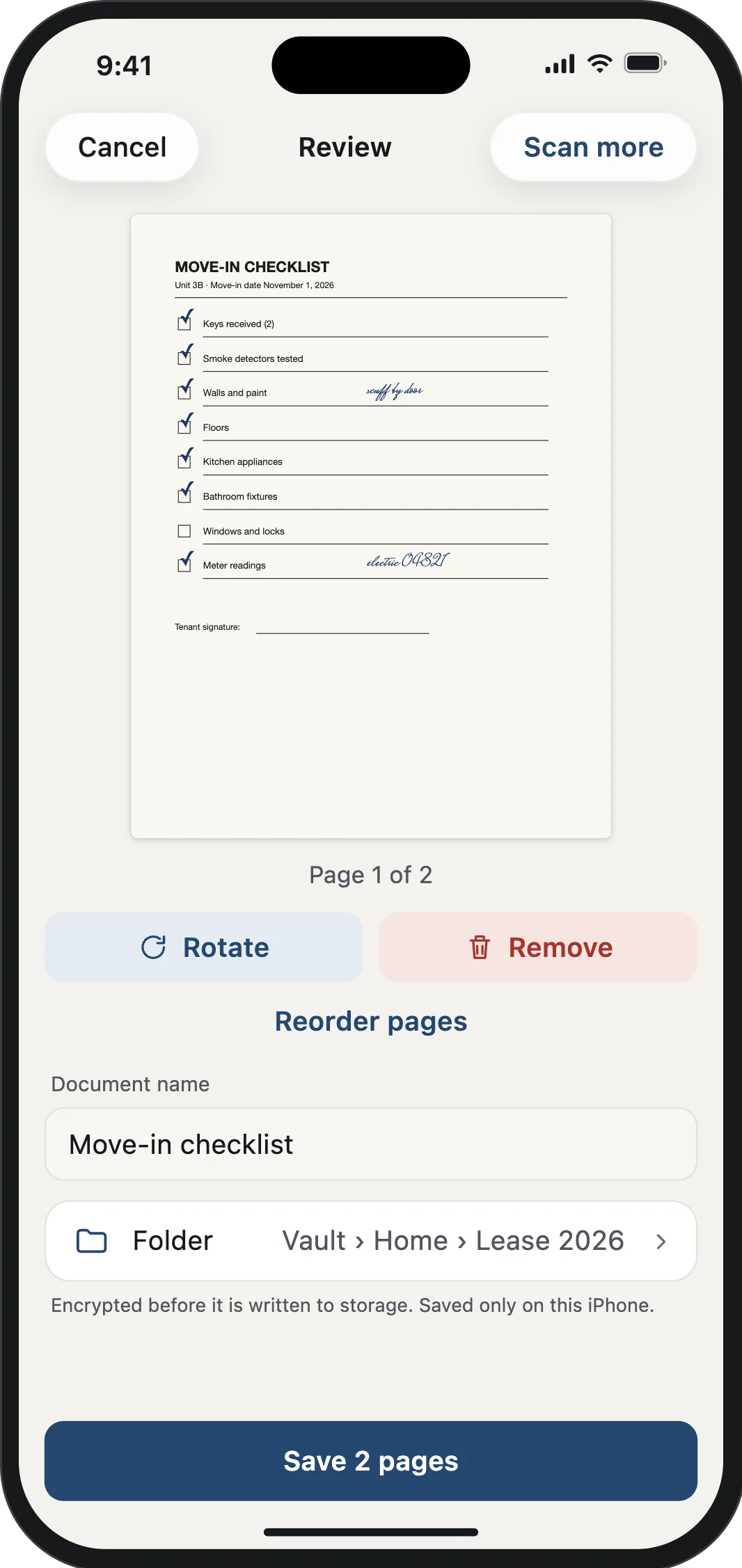
Scanning uses the document scanner built into iOS. Each page becomes a PDF that Dossio reads on your device.
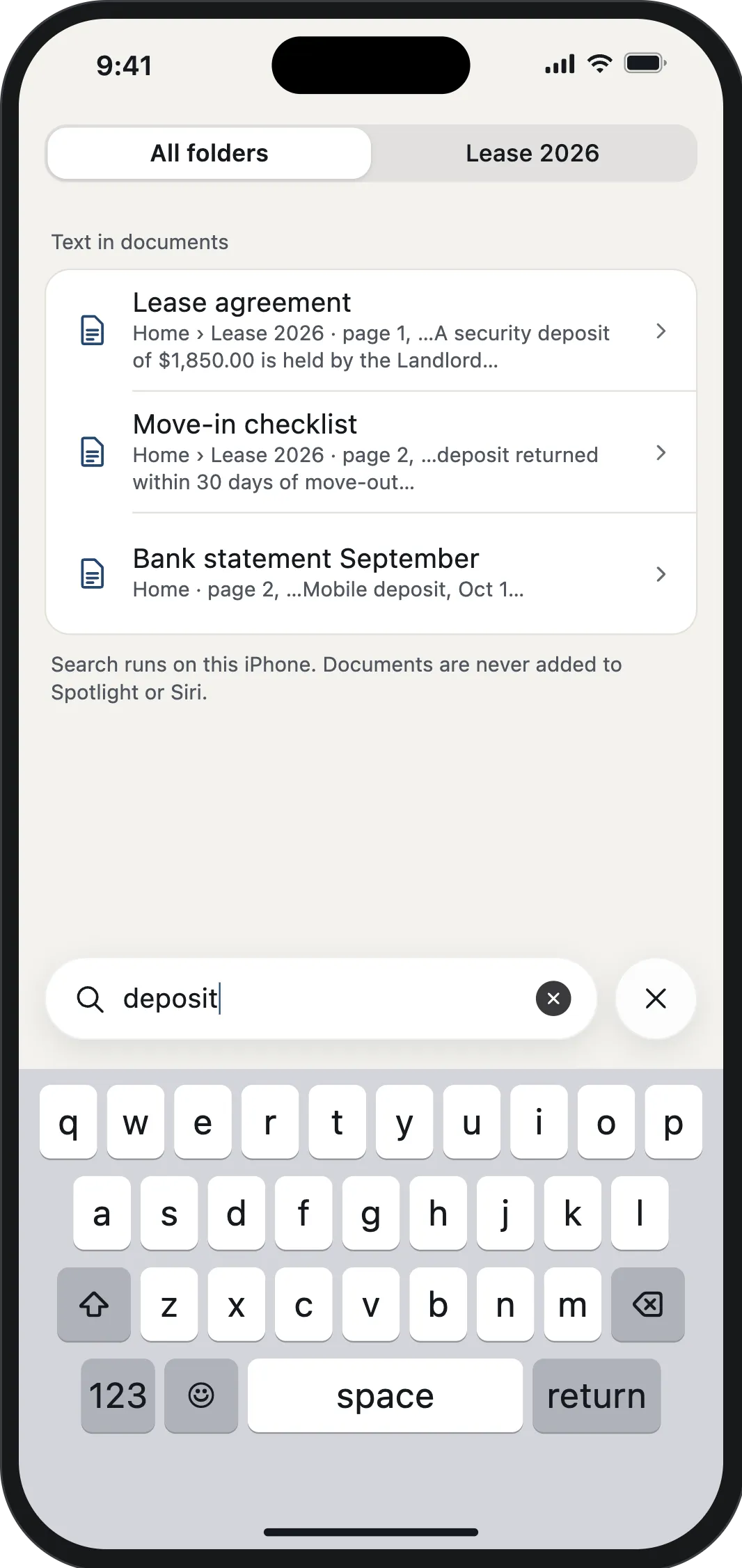
- Text recognition runs on the device, so a word in a scan from years ago is still findable.
- Search matches titles first, then the text inside every page, with the page number and a snippet.
- A scan is named from its first page. A name you type always wins.
- A Scan a document control for Control Center and the Lock Screen opens the scanner in one tap.
Sign on the page
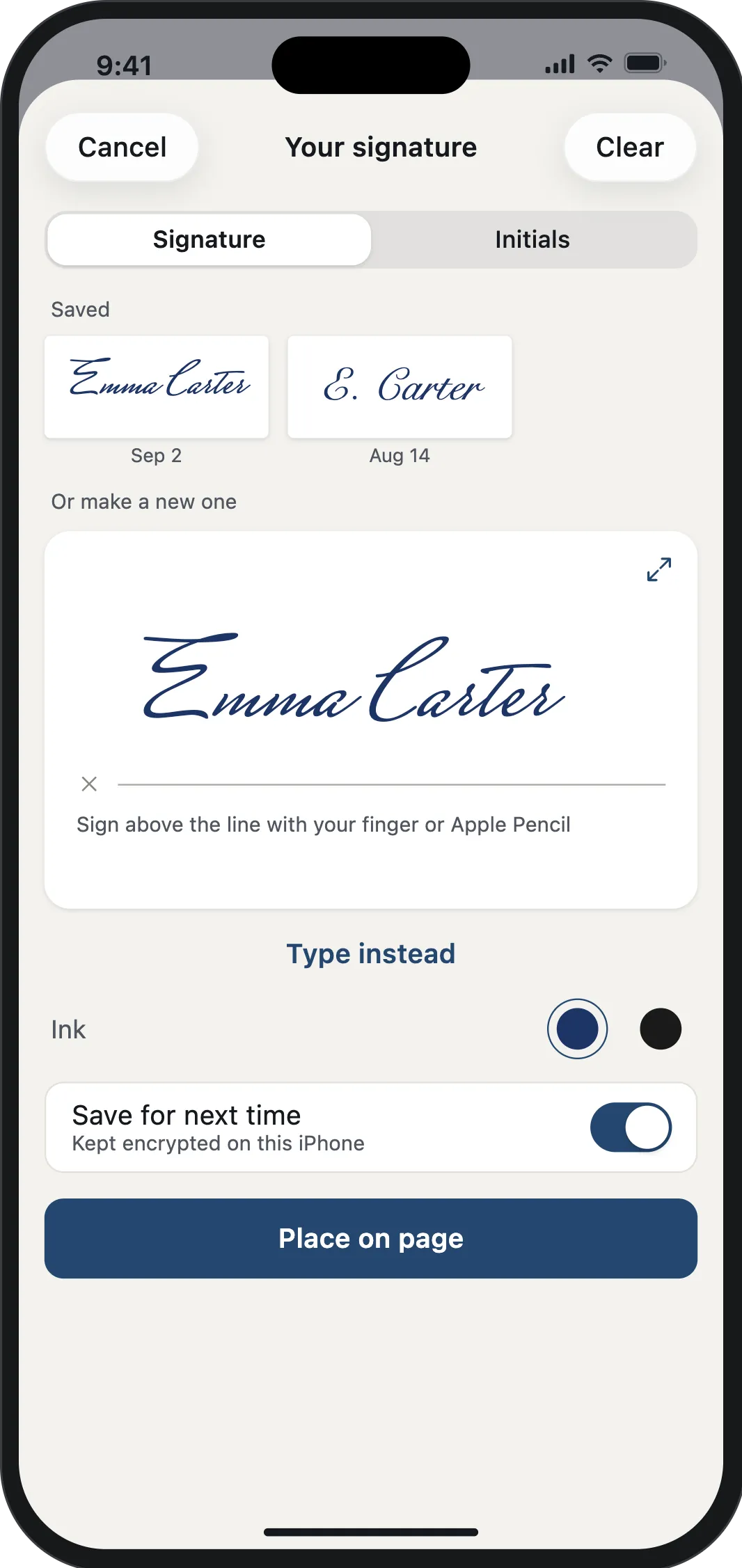
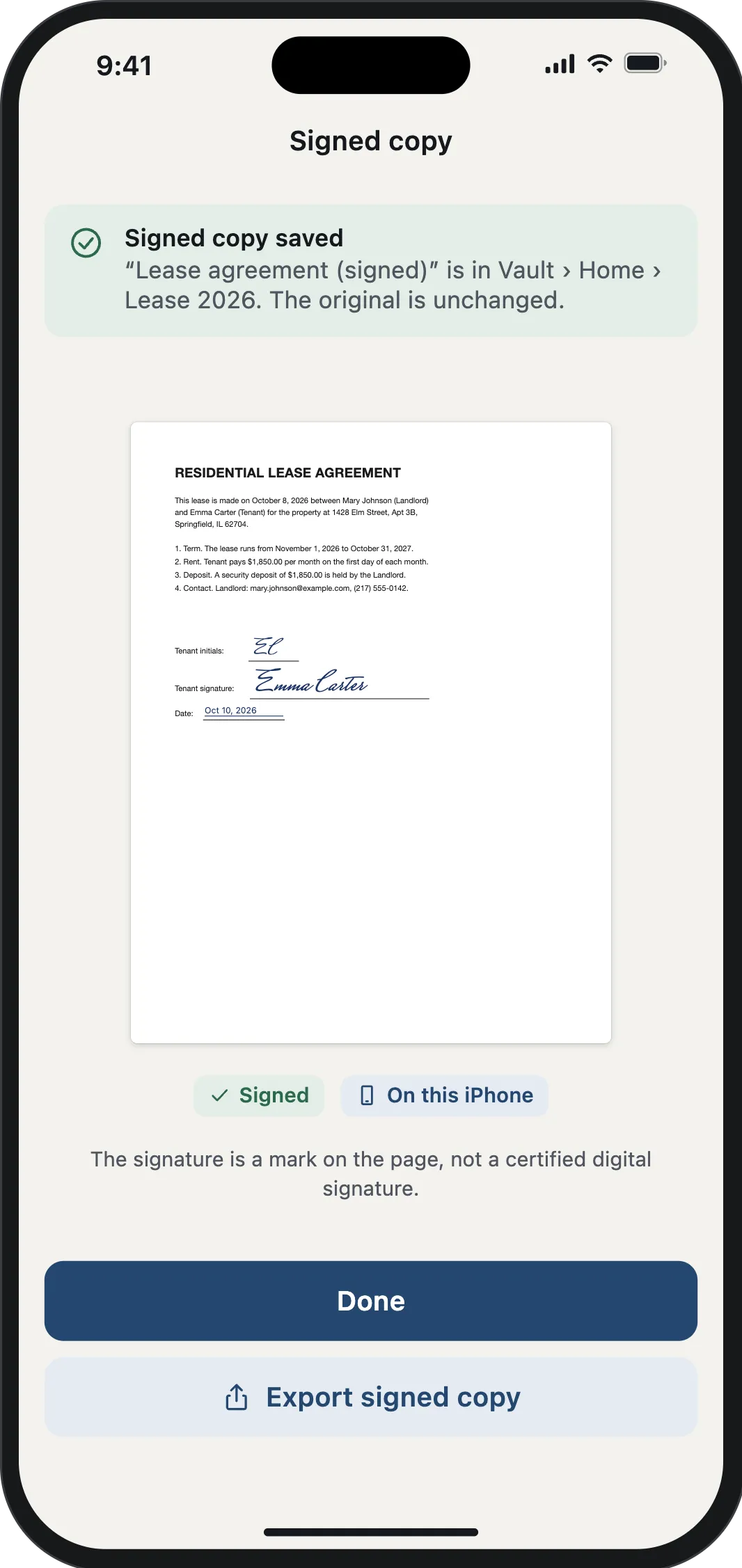
Dossio finds the likely signature, initials and date fields in a PDF or a scan, and saves a signed copy. The original stays untouched.
- Draw your signature once, or type your name, and keep up to five per kind for next time.
- Initials can go on every page in one step. Dates use today, in the document’s own format.
- On iPad, sign straight into the field with Apple Pencil.
- A signature in Dossio is a visual mark, not a certified digital signature.
Black out private details before you share
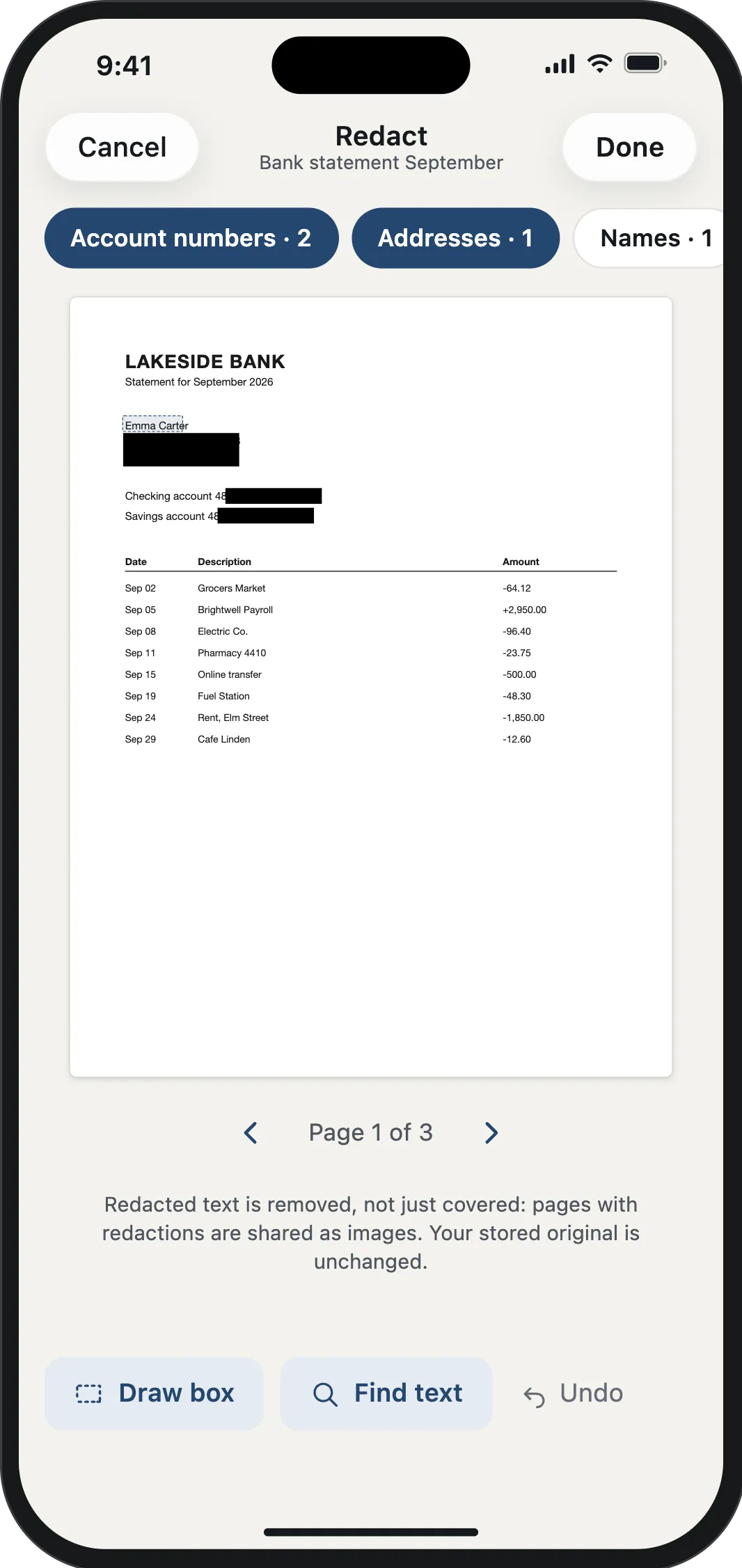
Dossio finds account numbers, ID numbers, email addresses, phone numbers, addresses and dates of birth, and suggests what to hide.
- Blacked-out text is removed from the copy you share, not just covered. The stored original never changes.
- Account and ID numbers are checked against their own check digits, so ordinary numbers are not flagged.
- Remove hidden details strips the author name, earlier revisions and the location in a photo.
- The share button says exactly what leaves: "Share 1 PDF", "Share 4 images".
Reminders before things expire
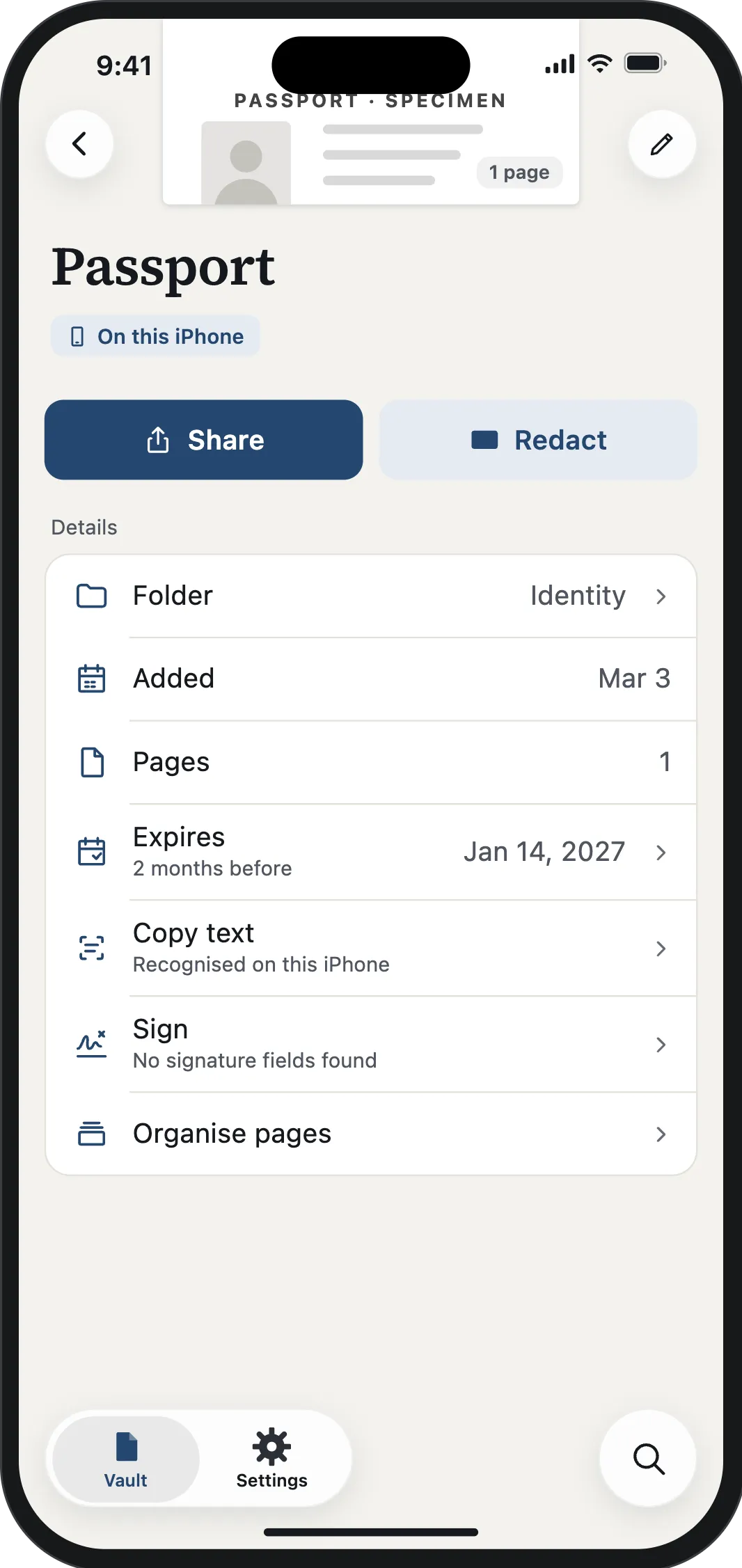
Give a passport, a lease or an insurance policy an expiry date and Dossio reminds you in advance.
- Notifications never show a document or folder name.
- Reminders are scheduled on your device, nothing about them is sent anywhere.
- Select a date in a document’s text and add a reminder from it.
Locked to you
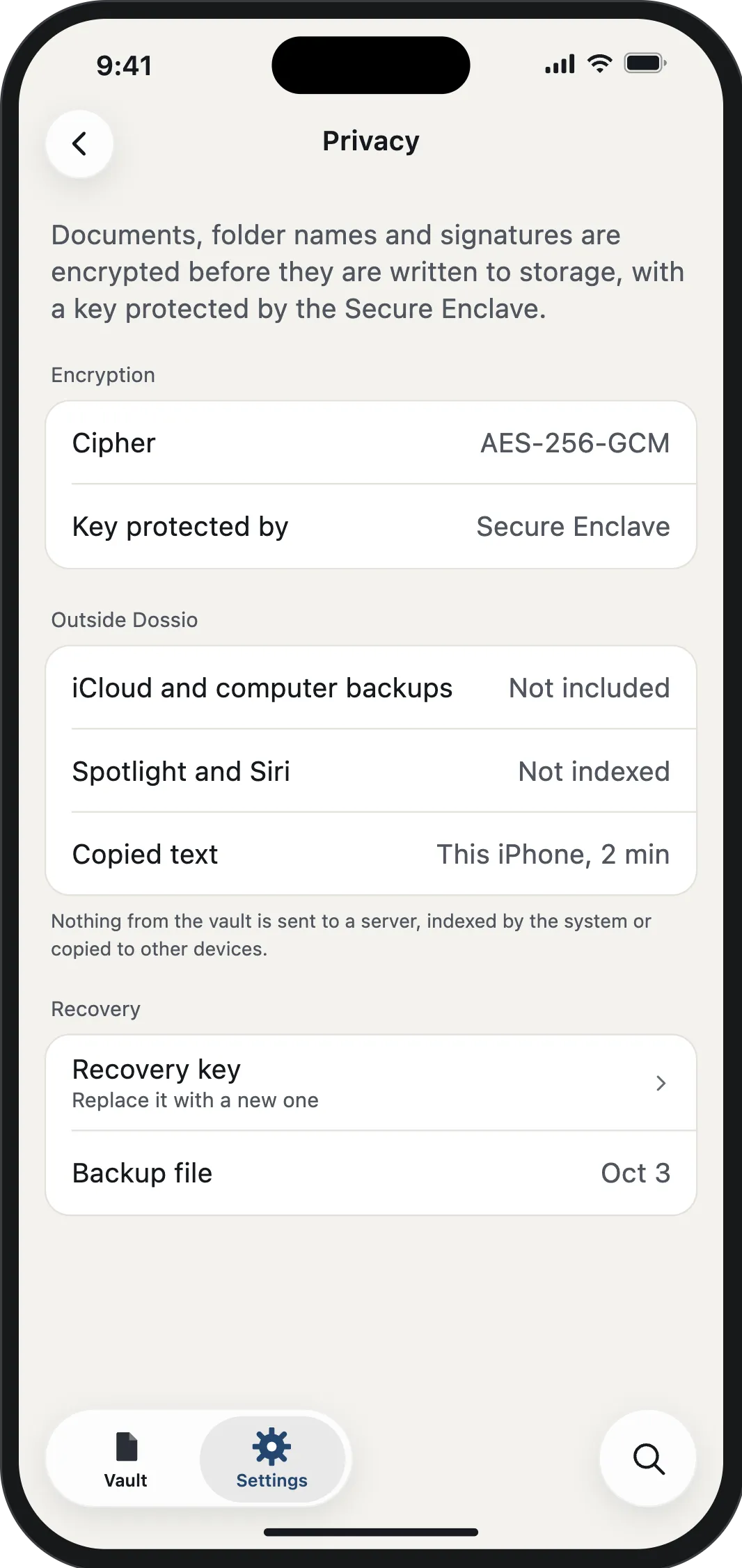
Documents, folder names and signatures are encrypted before they are written to storage, with a key protected by the Secure Enclave.
- Unlock with Face ID or your device passcode. Dossio needs a device passcode before it can create a vault.
- Dossio locks when you leave the app: immediately, after 1 minute or after 5 minutes, your choice.
- The app switcher and Stage Manager show a cover, never a document.
Also in Dossio
Receipts and backups, handled too.
Receipts for your accountant
Pick a period and Dossio gathers the receipts in it into a CSV file you can open in any spreadsheet app.
- The date, merchant and total are read on your device.
- Where Apple Intelligence is available, it can fill in a total or merchant the rules missed, still on the device.
- Receipts without a total are flagged before export, so you can fill them in by hand.
Backups you choose
Your vault stays out of iCloud and computer backups. When you want a copy, Dossio writes an encrypted backup file and you choose where it goes.
- Save the backup to Files, iCloud Drive or a USB drive. Dossio does not upload it.
- Your recovery key opens that backup on another device.
- Nothing is decrypted to make a backup, the file holds the same encrypted data as the vault.
Honest limits
What Dossio deliberately doesn't do.
It doesn't sync. Each device keeps its own vault, and a backup file you make yourself is the only other copy, so if a device is lost without one, its documents are gone too. That is the cost of a vault that is never in anyone's cloud.
A signature in Dossio is a mark on the page, not a certified digital signature. Some documents need the certified kind, check before relying on it.
Privacy and encryption
- Where your documents are
- On this device
- Encryption
- AES-256-GCM
- Key protected by
- Secure Enclave
- iCloud and computer backups
- Not included
- Spotlight and Siri
- Not indexed
- Copied text
- This device, 2 min